How to cancel your subscription
Last updated: August 24, 2026
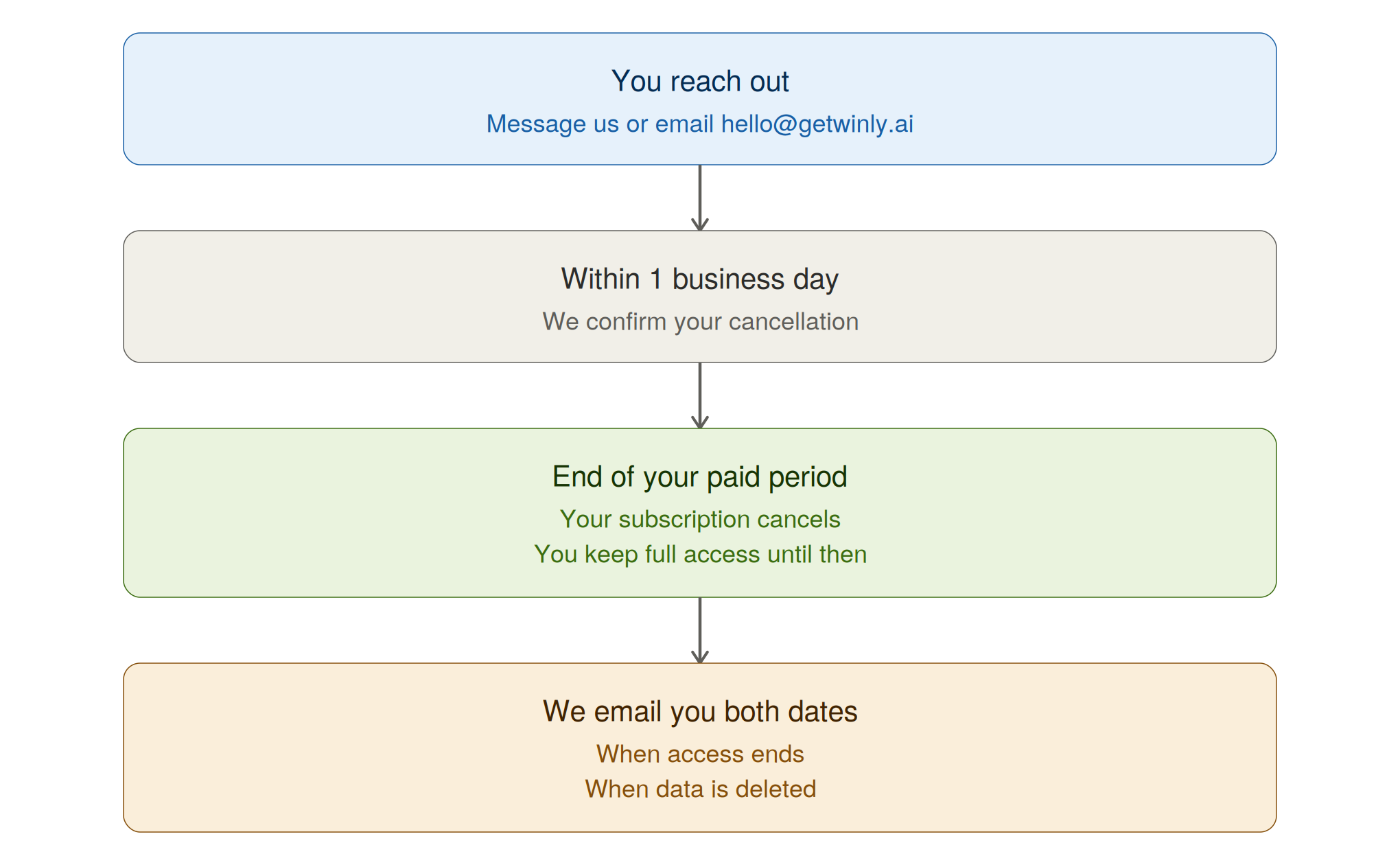
Message us and we’ll take care of it. Open the chat inside Winly, or email hello@getwinly.ai. We’ll confirm within one business day.
There’s no cancel button in your account settings — cancellations go through our team so we can make sure you keep everything you’ve paid for and nothing gets closed by mistake.
What to send
Just let us know you’d like to cancel. It helps if you mention why — not so we can talk you out of it, but because it’s the main way we find out what’s not working.
Requests need to come from the account owner or whoever handles billing. If you’re not either of those, we’ll check with them first.
What happens next
You keep what you’ve paid for
We cancel at the end of your current billing period, not immediately. Everything keeps working until then — automations included. No further charges.
If you’re on an annual plan and cancel in month two, you keep full access for the remaining ten months.
Changed your mind?
Tell us any time before your period ends and we’ll reverse it. Chat or email is fine. It takes seconds, nothing is affected, and you don’t need to explain.
Want it stopped immediately instead?
We can do that. If you’ve paid for time you won’t use, we’ll work out the unused portion and credit it back — just tell us that’s what you’d prefer.
Instead of cancelling
If the plan is more than you need, we have smaller ones. If something isn’t working, tell us — quite often it’s fixable and costs you nothing. Worth one message before you go.
We don’t offer account pausing. A smaller plan, or cancelling with an easy return later, works better in practice.
Coming back
Your login keeps working for 180 days and resubscribing takes a minute. But your data is deleted two weeks after your access ends — so if you return after that, you’d be starting fresh. See the next article.
Need help? Open the chat inside Winly, or email us at hello@getwinly.ai. We reply within one business day.